Search and Filter Experience

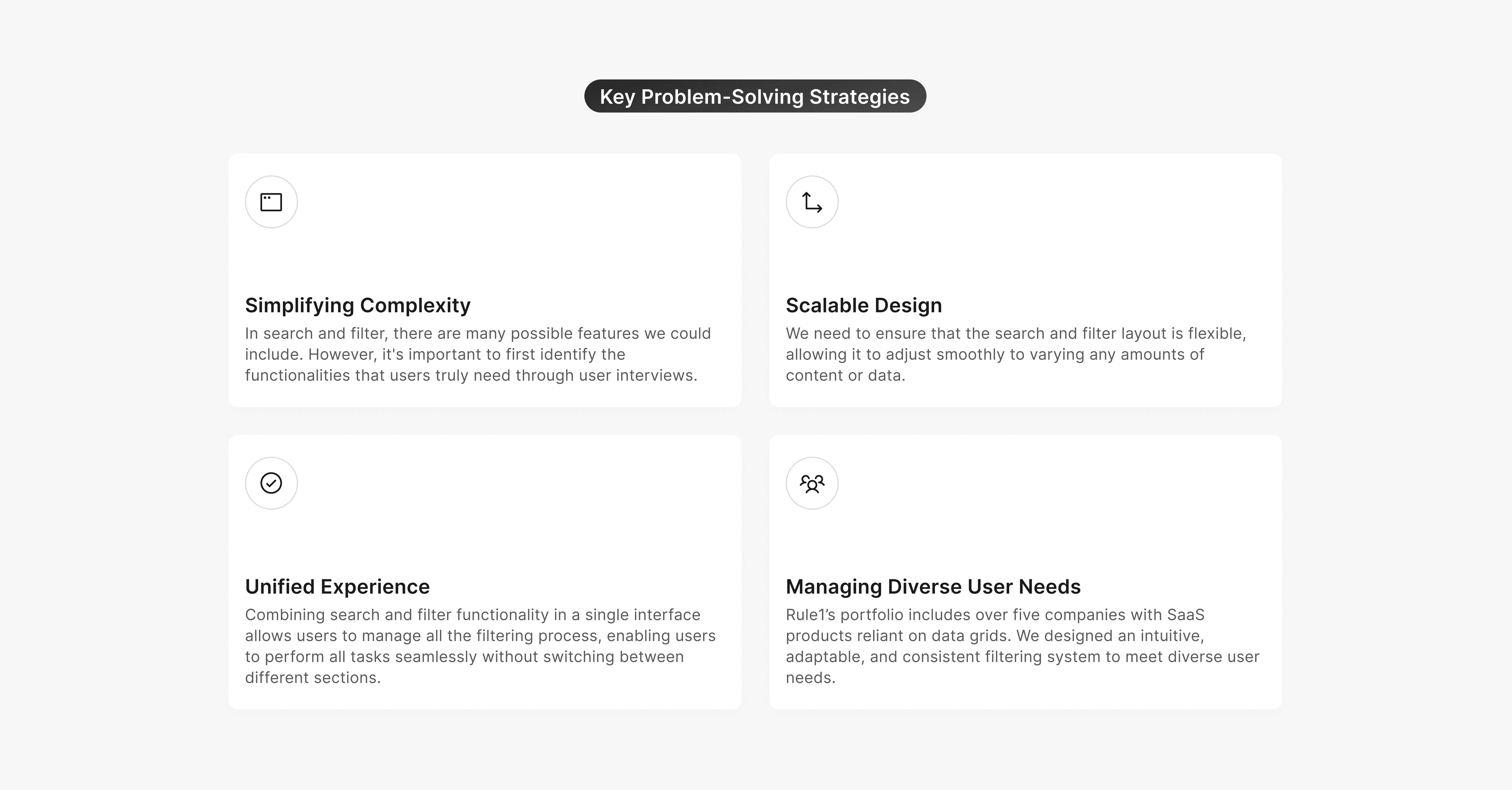
Rule1 offers a suite of products, each involving vast amounts of data displayed in grids. To improve usability and efficiency, I designed a universal search and filter pattern that could seamlessly integrate across all Rule1 products. The goal was to create a robust and consistent system enabling users to refine, manage, and extract insights from data grids effectively.
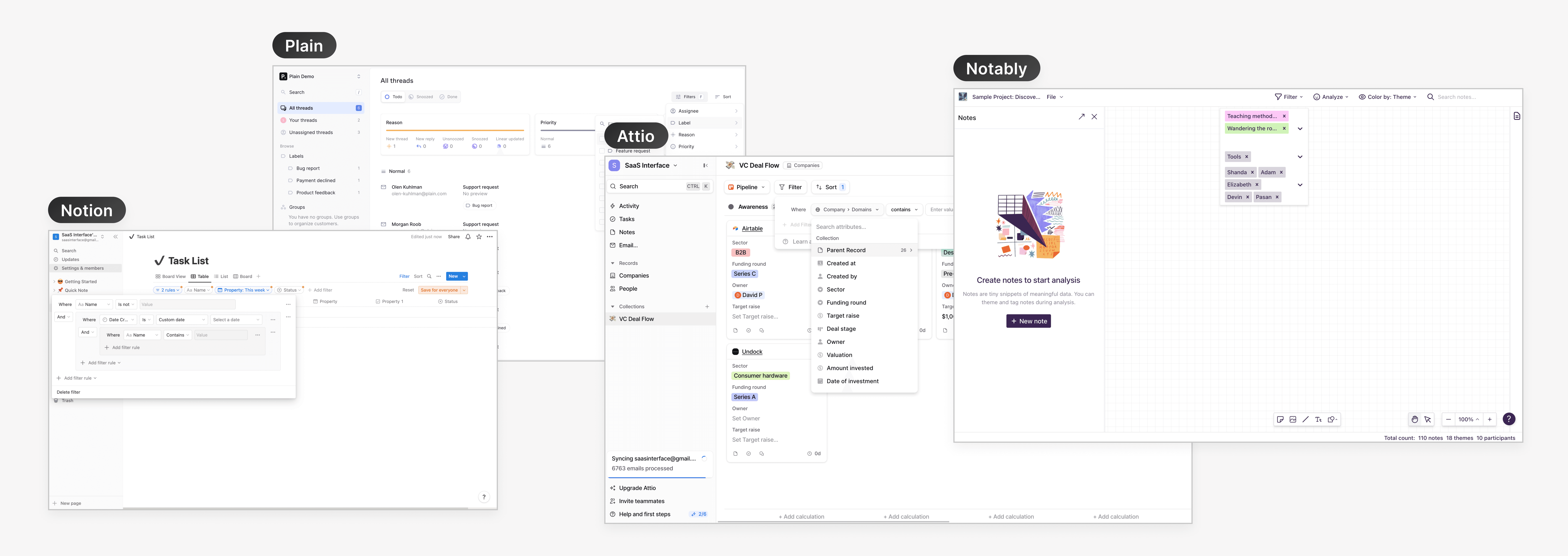
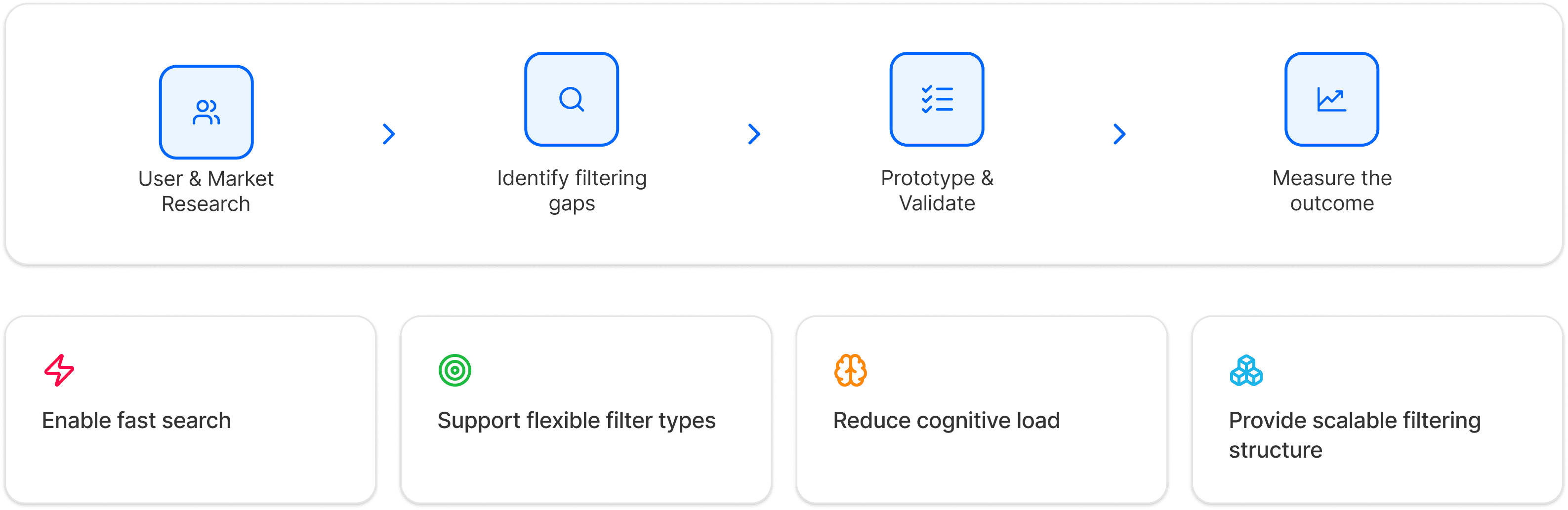
Conducted market research to analyze how filters functioned in other products and how they were tailored to meet the needs of their respective users. Some products featured advanced filtering options, while others offered very basic filters. Through brainstorming and few user interviews, we carefully determined which features to include and exclude, ensuring the design remains user-friendly and avoids overwhelming users with excessive functionality.
We conducted interviews with operations managers and compliance reviewers to understand their document processing challenges.
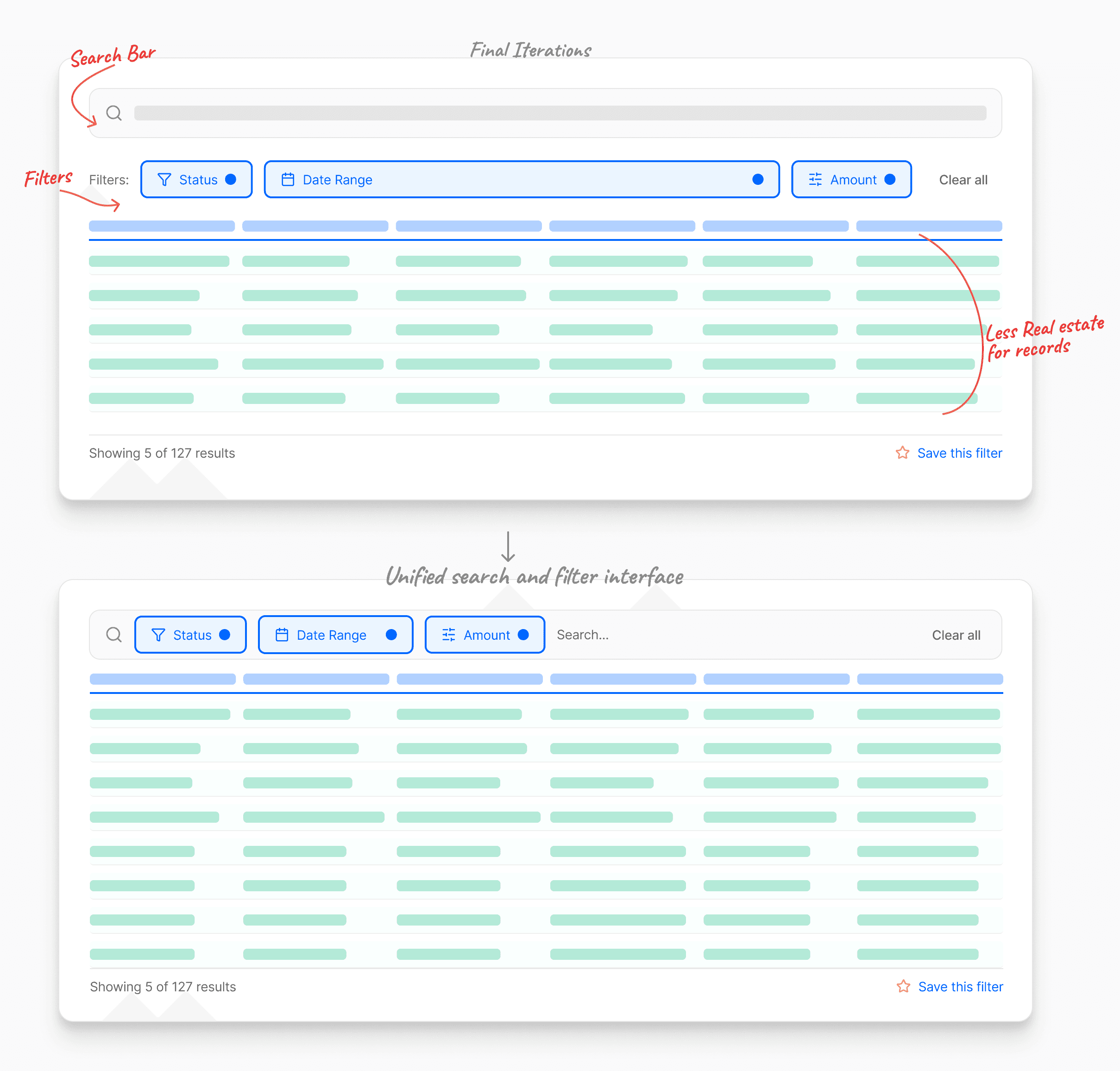
Early Iterations separated search and filter controls, consuming excessive vertical space and limiting record visibility. Integrating them into a unified interface optimized screen real estate, reduced clutter, and improved data scanning efficiency.
Core Features

We identify the problem successfully and noted the pain point with quick prototypes by show to the users, now we are at the stage of building a functional screen rectyfing all those problems
When users click on the search bar, they can quickly type the desired data and either press Enter or select a suggestion to search get the result.
To filter the data, users can click on filter options, such as "Agents," and select multiple agents from the list to refine the table results. Once the filter is applied, a badge in the search and filter section displays the selected agents. Users can click the badge to view or edit the filter options and remove the filter by dismissing the badge with a single click.
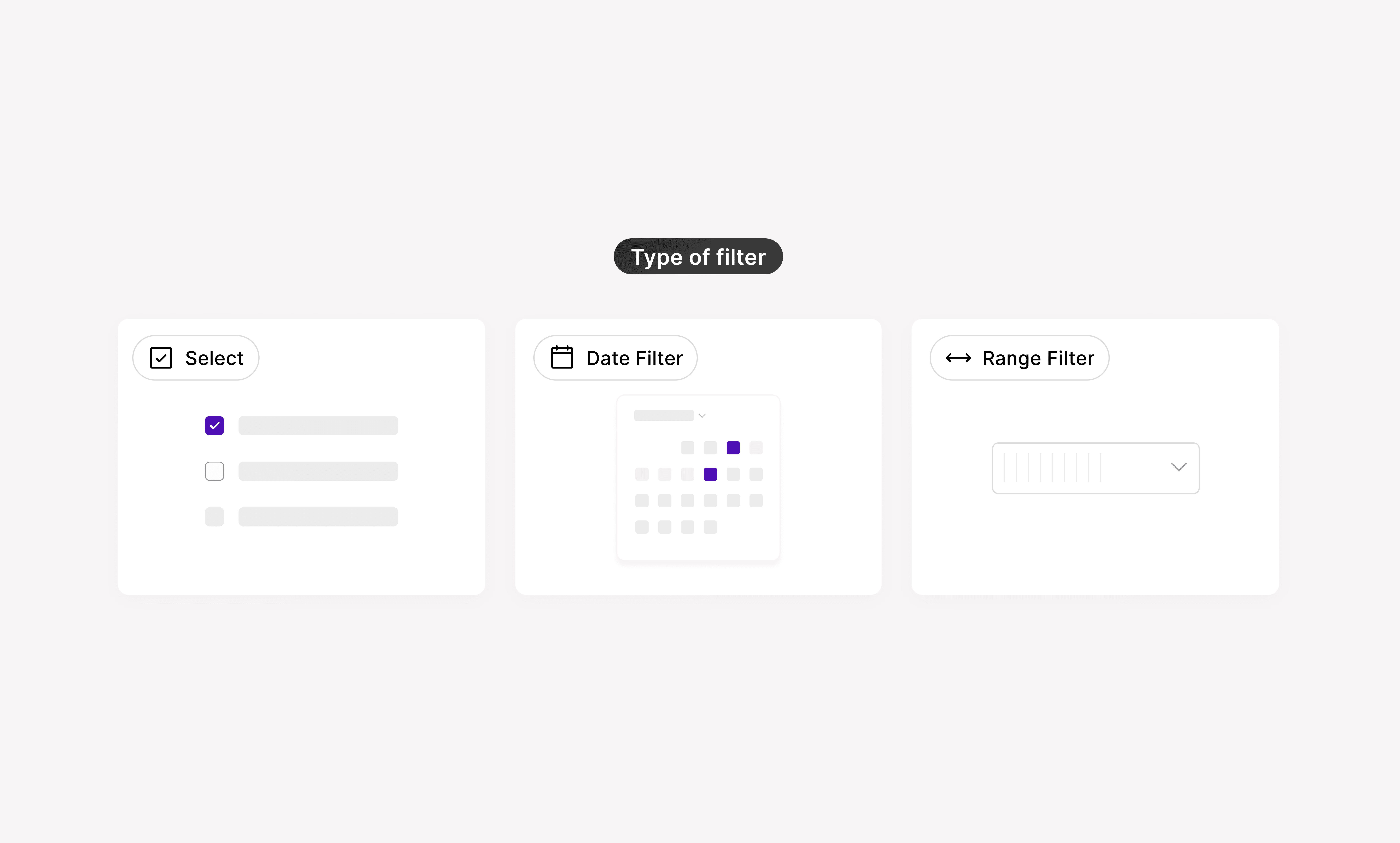
Each filter includes various conditions such as Is, Is not, Contains, and more.
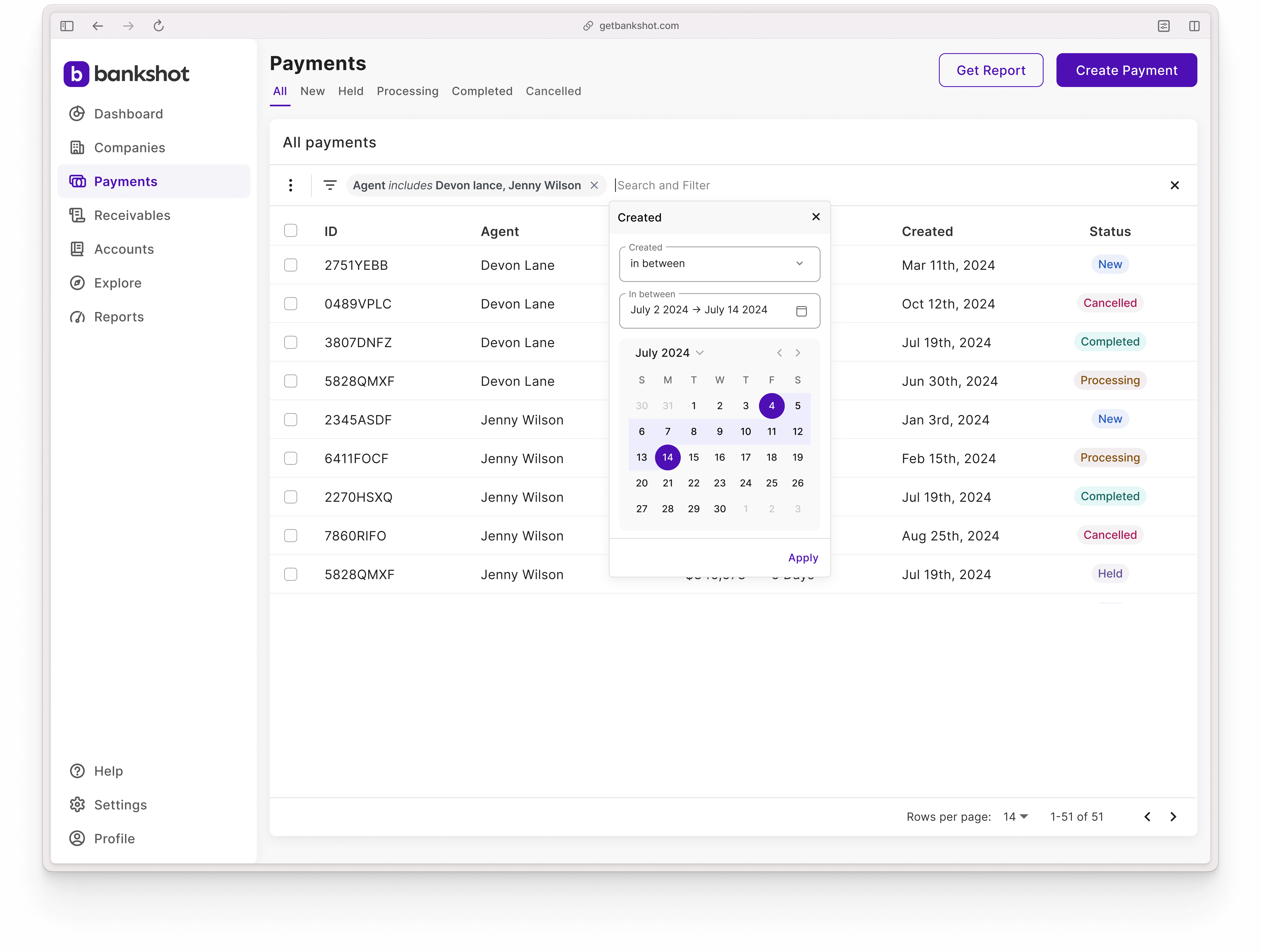
The date filter allows users to filter by the creation date, with conditions like In Between, enabling them to select a start and end date to view the relevant results in the table.
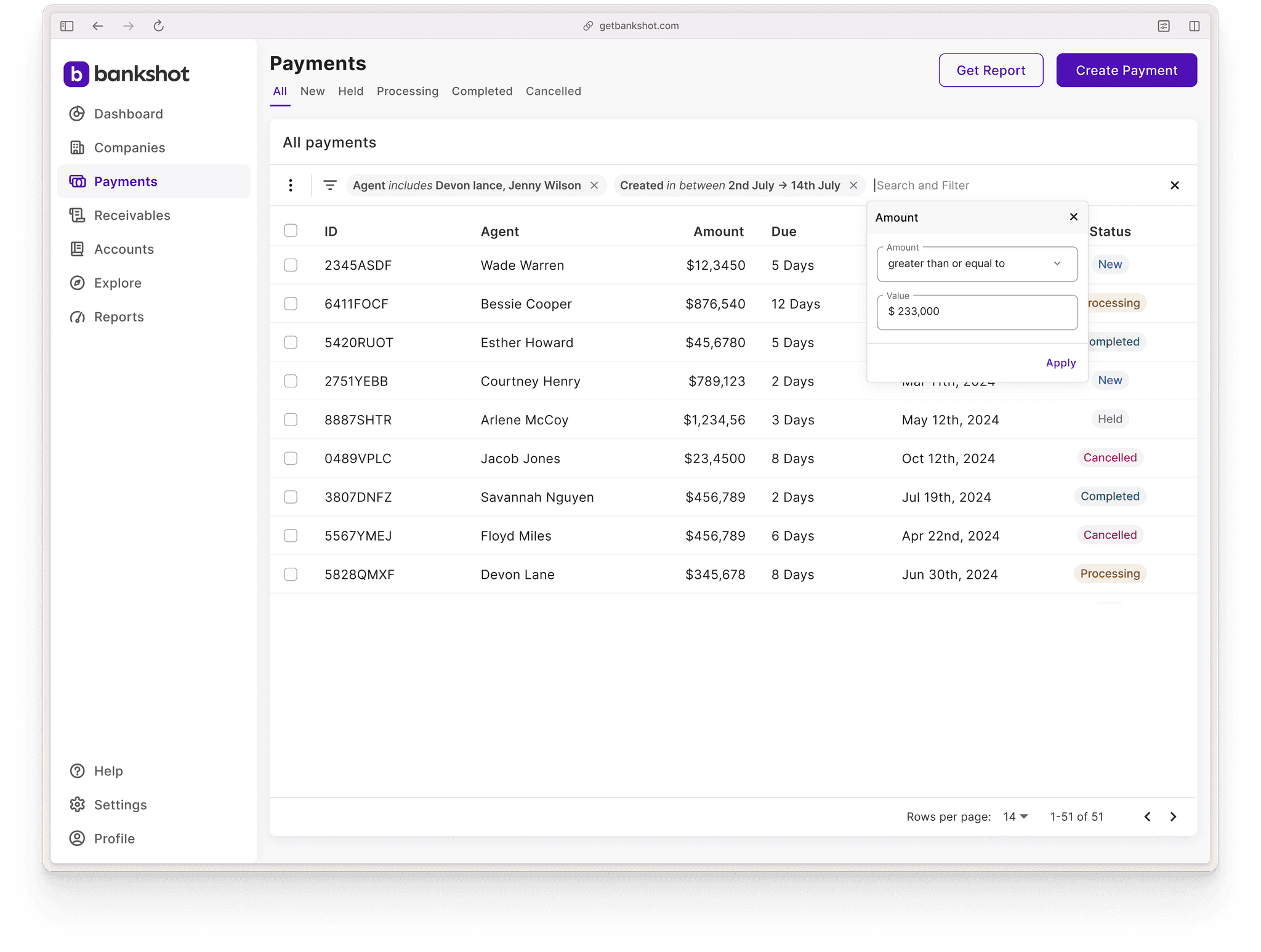
Range filter types can be used in numerical fields such as Amount, Quantity, Rating, Age, and more. The conditions include options like Greater than, Greater than or equal to, Not equal to, In between, and others.
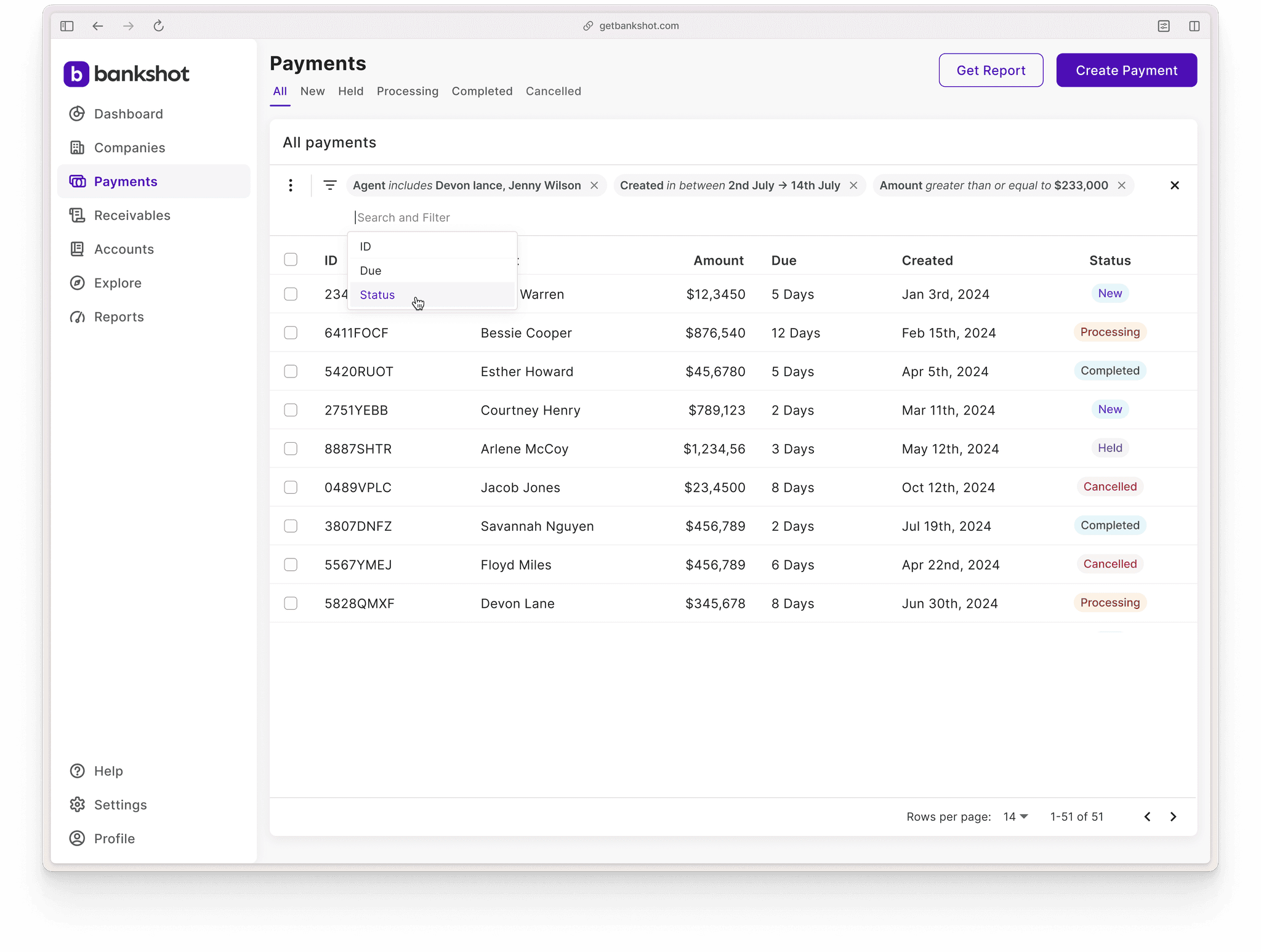
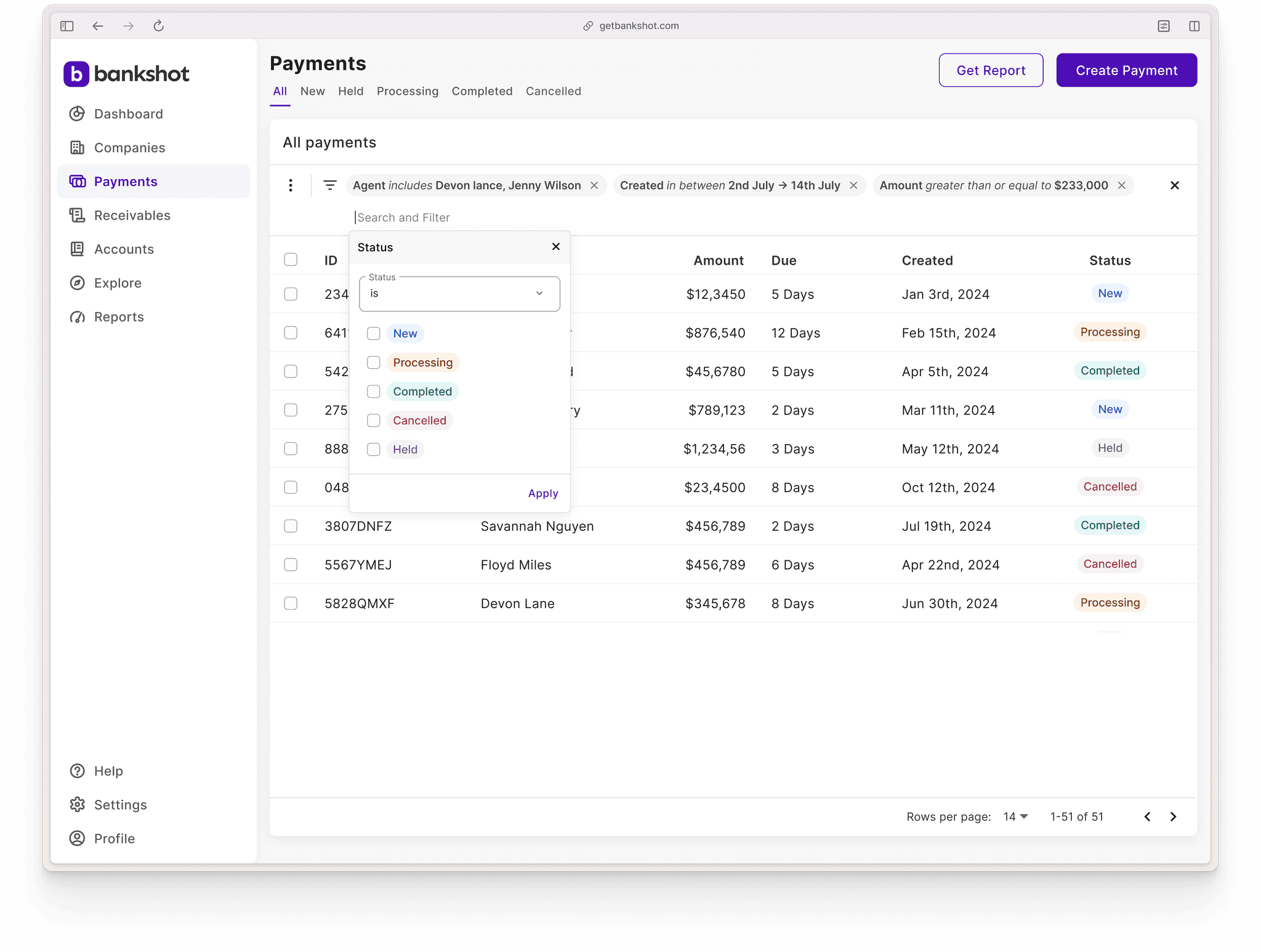
The Saved Filters feature empowers users to create and save custom filter patterns tailored to their specific needs. Users can assign meaningful names to these filters, making them easy to identify and reuse. Once saved, these filters allow users to quickly apply frequently used filtering configurations without the need to set them up repeatedly.
Efficiency: Users can quickly narrow down vast datasets to find actionable insights.
Satisfaction: Customization features and advanced filtering empower users to tailor the experience to their needs.
Adoption: The scalable design ensures seamless integration into existing and future Rule1 products.
This universal search and filter system significantly enhanced Rule1’s data grid usability, solving key challenges while paving the way for more advanced, user-friendly features in the future.



Karthik
Senior Product Designer
5+
Years experience
20K+
Users impacted
8+
Products shipped

Juan
Verified since April 2019
Trust is the cornerstone of Airbnb's community, and identity verfication is part of how we build it.
