🗓️
2026
Designing a Scalable Document Organisation Experience
Helping operations teams prepare transaction-ready document packages for faster funding reviews.

Timeline
2 weeks
I led end-to-end design of the document grouping system, ensuring decisions stayed grounded in user needs while balancing technical constraints.
Defined the problem space with PM and Engineering
Planned and conducted user interviews
Synthesized insights into actionable UX principles
Led ideation, wireframing, and interaction design
Partnered with engineers through implementation
Measured post-launch impact and iterated
FactorCloud is an invoice factoring platform that helps businesses receive early payment on unpaid invoices instead of waiting 30–90 days for customers to pay.
Before approving funding, operations teams prepare supporting documents including invoices, purchase orders, bills of lading, and rate confirmations for review.
Missing or incorrect documents can delay funding, increase operational effort, and introduce financial risk.

Operations Team : Uploads and prepares transaction documents
Funding Manager : Reviews complete document packages and approves funding
Every funding request depends on multiple supporting documents. As customer volume increased, documents accumulated in a flat structure, forcing operations teams to manually reconstruct transactions before every funding review.

↳ Before
We conducted interviews with operations managers and compliance reviewers to understand their document processing challenges.

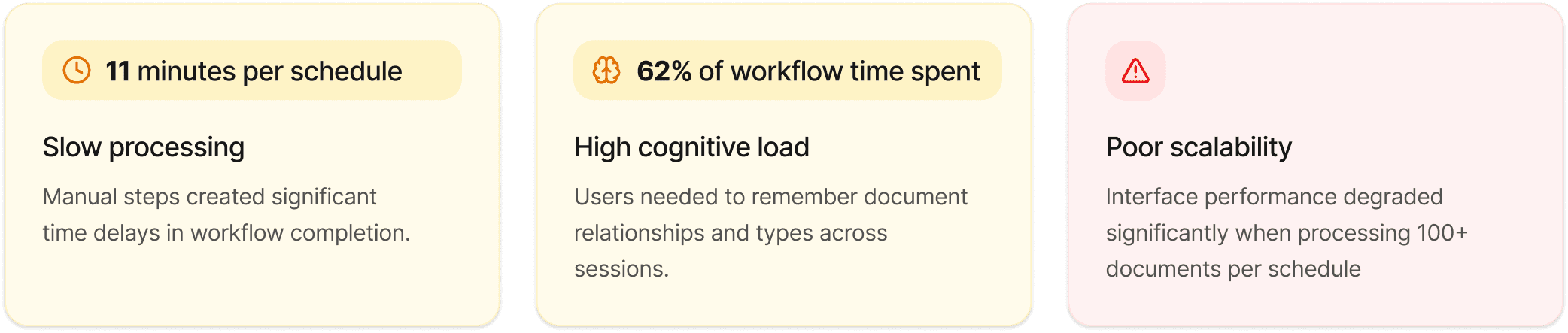
#1 Disconnected Documents
Related documents were stored as individual files with no clear relationship, forcing operations teams to manually determine which documents belonged to the same funding transaction.

#2 Manually identify documents
Funding Managers had to search, compare, and validate multiple documents before reviewing a each documents, making the approval process slower and more error-prone.

#3 A Workflow That Couldn't Scale
As users uploaded more documents, manual organisation became increasingly difficult, increasing cognitive load, slowing funding operations, and creating operational risk.
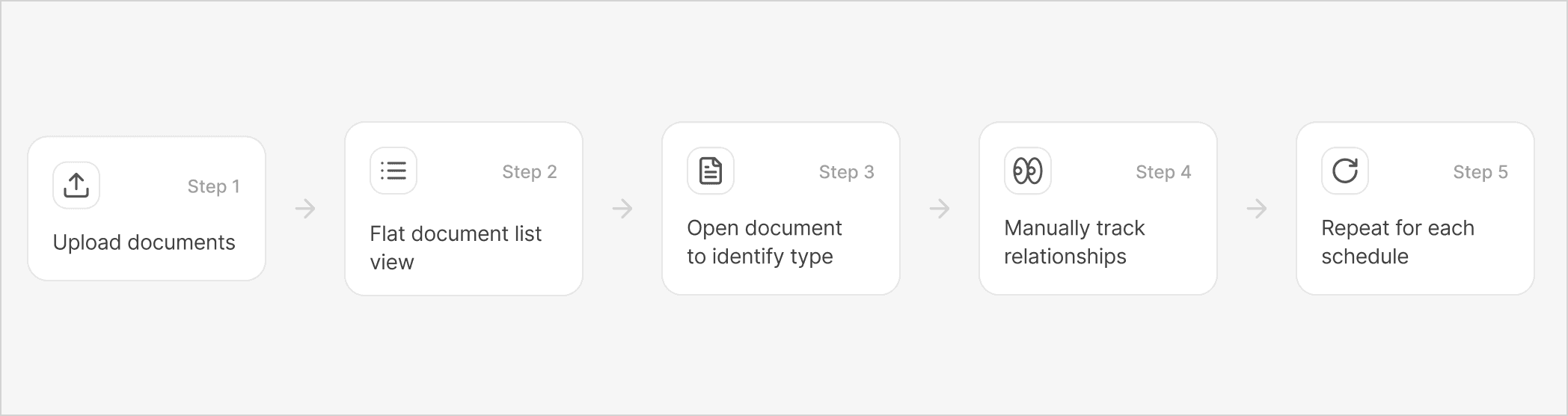
How might we help operations teams transform disconnected documents into clear transaction packages that funding managers can review quickly and confidently?
Instead of organizing individual files, the goal was to organize funding documents. By grouping related documents into a organised package, Funding Managers could review complete information without manually searching across disconnected files.

The solution wasn't about redesigning a document list. It was about creating a workflow that helped users understand document relationships while remaining scalable as transaction volume increased.
Improve document recognition - lets focus on solving this
Users previously opened documents to determine their type. By combining thumbnail previews with OCR and AI-powered document classification, the interface surfaced document types directly in the list, reducing unnecessary clicks and improving scanability.

Explore organisng patterns
I explored multiple interaction patterns to organize related documents while maintaining visibility and minimizing navigation.


Validate the final interaction
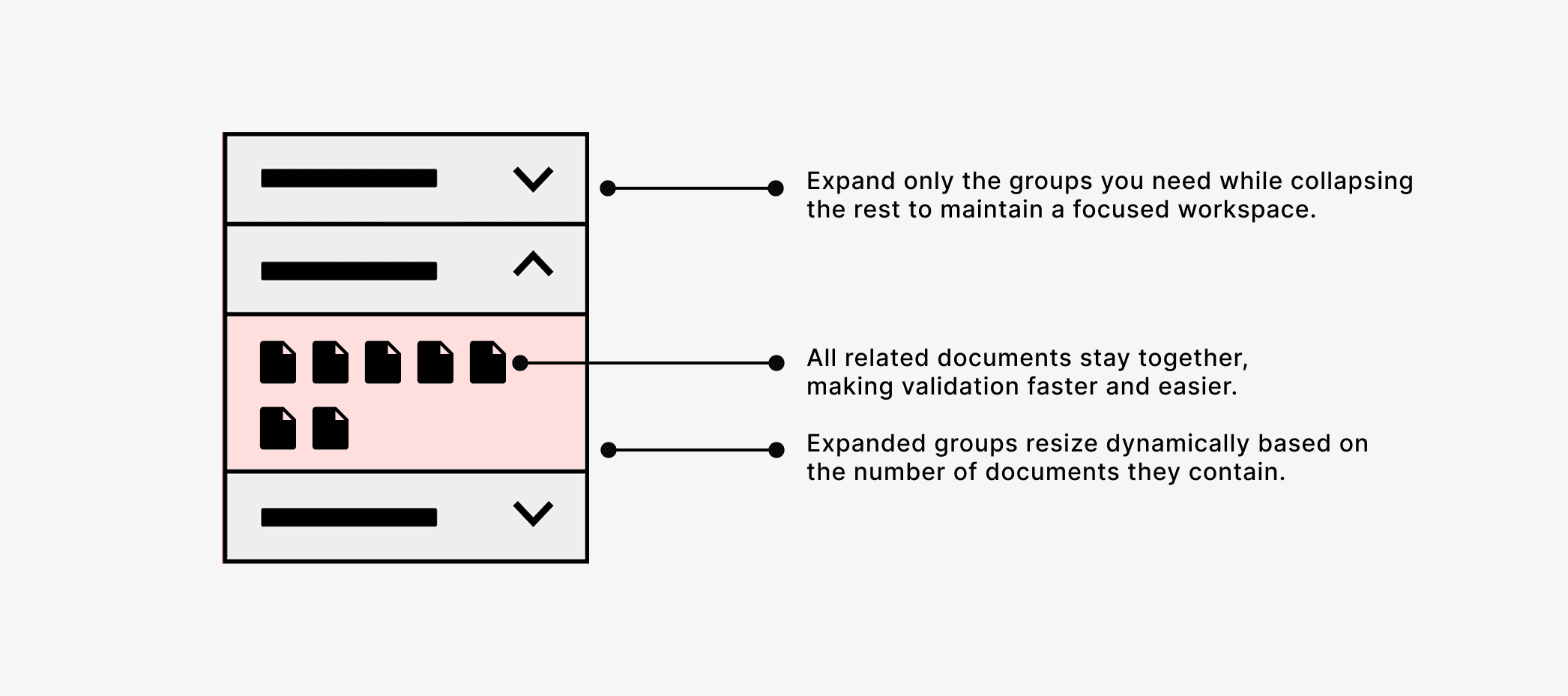
The accordion layout provided the best balance between visibility and scalability. It allowed users to focus on one transaction while keeping other groups easily accessible.
Design Decision
The final solution combined thumbnail-based document recognition, OCR-powered classification, and accordion-based grouping into a single workflow. This allowed operations teams to identify, organize, and review related documents without losing context.
Validate the final interaction
We added a filter functionality that allows users to easily select their preferred document types and quickly create groups. For example, if a user wants to group only the invoices type from the ungrouped documents, they can simply filter by "invoice" and select the parent checkbox to quickly choose the relevant documents.
Selecting and Creating Group
When selecting documents, it should be visibly clear which documents and document types are chosen. Once users select the documents, the "Create Group" action will be activated, allowing them to create a new group with all the selected pages.
Collapse and expand group
Our primary feedback and challenge is how to display a large number of documents and groups in a single layout. To address this, we introduced an accordion feature that allows users to expand or collapse views based on their preferences. Users can expand each group to facilitate the grouping process while scrolling, or they can collapse any unwanted groups.
Select or Drag and drop document to move
Some users prefer drag-and-drop functionality, as it provides a more visually satisfying and useful way to quickly organise and move documents.
Rename Group
Some users prefer drag-and-drop functionality, as it provides a more visually satisfying and useful way to quickly organise and move documents.
Resizing
Even with the accordion behavior, introducing resize controls offers additional advantages to users, allowing them to easily adjust the height of their groups.
Preview Document
When users hover over a document, a checkbox appears to allow them to select the page. Clicking on the document opens a quick preview in a blade or drawer.

Once all the documents are grouped, users can see a neat and organized grouping interface that provides better visual clarity regarding which documents are in each group and how many groups there are. They can then switch to the review tab to submit the documents.
Document management interface for FactorCloud significantly enhances user experience by providing intuitive features like grouping, filtering, and drag-and-drop functionality.
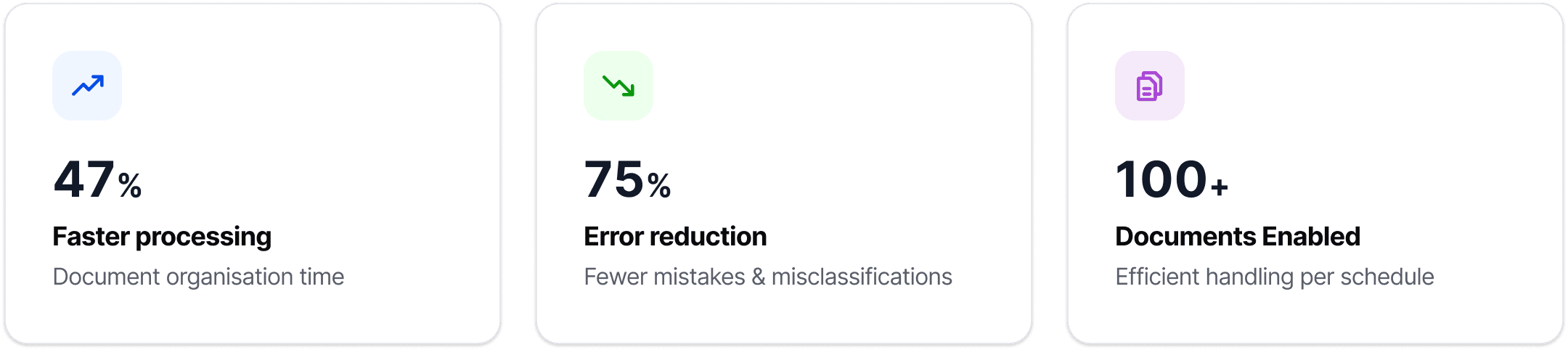
These improvements facilitate efficient organization and easy navigation through large volumes of documents. By incorporating user feedback throughout the design process, we have created a solution that not only meets user needs but also supports productivity and clarity in document handling



Karthik
Senior Product Designer
5+
Years experience
20K+
Users impacted
8+
Products shipped

Juan
Verified since April 2019
Trust is the cornerstone of Airbnb's community, and identity verfication is part of how we build it.
